Long before the baby's due date, family and friends start asking what to buy. A rambling group chat usually just leaves a new mom with three swaddles and nothing that's actually needed.
Fortunately, there's Momcozy Baby Registry to prevent that.
Momcozy Baby Registry is a list that you build for yourself and baby right on the Momcozy website. It can include what you and the baby really need during the pregnancy, nursing, feeding, and recovery stages of your journey.
Enjoy shopping for yourself or share one link, so people can more thoughtfully shop for your family. No need to use a registry anywhere else!
Key Takeaways
-
A typical baby registry is mostly for nursery gear and overlook Mom. In contrast, Momcozy Baby Registry is built for moms and babies for every stage of the journey. So, feeding, recovery, nursing, and baby care can all go on the same list.
-
Enter your name and the baby's arrival date, then choose who can see the list. Private mode still works while you edit.
- "Add Item" opens the popular row first, then a wider set of mom and baby products.
-
Shop for yourself or share one link, so friends can add items to the cart and buy.
- Keep the list short. Add small and large items for variety.
- Know you can add or delete items later if your feeding plan changes.
- Starting a Momcozy Baby Registry can include Baby Welcome Benefits. You can also claim 500 CozyCoins during the baby's birthday month.
What a Baby Registry Is For
A baby registry is the list you make of what you need or want for your baby or yourself. You make this list usually before a baby shower or even for right after the baby is born. The baby registry should be tailored for you. You choose what you and the baby need, and you can use it as your own personal shopping list. If family members want to help, you can give them the link and they shop from that same list.
Whatever gifts you receive will be what you really need and want. So, you don't get overwhelmed by products you never planned to have or use. And you also avoid getting duplicates (or even triplicates!) of items.
Most baby registries start their list with the basics for baby: cribs, strollers, onesies. What they forget is to include moms.

How Momcozy Baby Registry Differs From a Typical One
The Momcozy Baby Registry is different. It It lives on momcuzy.com, and it encompasses more than just nursery items. The registry has areas for pregnancy care, nursing, feeding, and recoveryas well as for baby care.
The list can hold a lot of mom products alongside what the baby needs.
- A typical baby registry is mostly baby gear. The Momcozy Baby Registry gives you space for pregnancy, postpartum, feeding, nursing, and recovery.
- Mom products are a real part of the catalog, It includes support for your body, a feeding setup, and recovery, alongside what the baby needs day to day.
- Before you create the list, you choose who can see it, and whether guests may mark a gift.
- You can shop for yourself, or send one link, so friends and family can view the list thoughtfully shop for you and baby.
- After a friend makes a purchase from the list, they can share their name and well-wishes via email. That helps you know who to thank!
The Momcozy Registry lets you craft the list to what you need and want. All product rows are optional.
How to Use Momcozy Baby Registry
You need to provide :
-
A Momcozy account
-
Your name
-
Baby's due date
Then you can create your list, choose who can see it, add products, then either check out yourself or share one link.
Create your registry
Sign in, open the registry page, and choose Get Started. If you do not have an account yet, that same step creates one. You can do this via cellphone or desktop.
The required fields are your name and baby's due date. The arrival date is three dropdowns: month, day, and year. It is stored on the list. The registry does not pick products for you. You still choose every item later.=
Two boxes are optional.
-
Registry name. You can choose something more specific than your own name.
-
Short introduction. You can share a shower date or a note you want guests to see.
There is no shipping-address field on this window.
Choose Create Registry when the fields are set.
The next screen is your registry page, not another form. The name and introduction you typed sit at the top.
Choose Public, Shareable, or Private, and Allow or Disallow Marking
You make both choices before you create the list.
-
Public means people can open the list from a direct link, and it can be searched on momcuzy.com.
-
Shareable means only people who have your link can see it.
-
Private means the list is visible only to you. It cannot be searched, and a link will not open it for someone else.
Purchase marking is separate. Allow Marking lets other people mark an item as purchased and notify you. Disallow Marking means guests cannot mark items as purchased. If you turn marking off, do not expect the gift email mentioned above.
Private is the setting to use while the list is still a draft. Shareable is the usual choice once you want family to have the link.
Add Item, then browse products with real mom feedback
On the first screen of your registry page, Add Item is the button that takes you to the product section, where real moms share their feedback on how they use each item. This button doesn't drop products onto the list by itself.
Products are grouped by what you need at your current stage: Must Have, Care Better, and Share the Care. Read what other moms say, see what they rely on, and add only the items that fit your stage.
If you want a category check before you click anything, a baby registry checklist is a separate read. Use it to notice gaps, then add only what you want.
You may also want to choose items for your hospital bag, which you take for your hospital stay.
If you want a shorter list to focus strictly on the essentials, a minimalist baby registry is a useful. You can always add more later.
Manage All Items, then Proceed to Checkout if you are buying
After products are on the list, the first screen shows:
-
the registry name
-
arrival date
-
how many items are on it
-
how many are marked purchased
-
Edit Profile
-
Share Registry
Manage All Items is where you change what is already there. You can add or delete items as needed. On that page, the add control reads + Add Items. That is a different button from Add Item on the first screen.
When the selection looks right and you want to buy it yourself, choose Proceed to Checkout. Adding an item does not charge your card. Money moves when someone checks out.
If your plans change, just visit this section and make changes as needed. For example, sometimes moms add a limited amount of nursing items, then later need more pumping supplies, or the other way around.
Share Registry, then friends add to cart and use I Purchased This
Share Registry opens a window with Save Image, Copy Link to Share, Share to Facebook, and a QR code. Copy Link to Share is the link you send. Put that one link on the shower invite, or send it when someone asks what to buy. You do not need a second message for every product.
Guests who open it do not see your manage page. They see the name, the introduction, the item count, and the purchased count. Items are grouped by category, and each line shows how many you requested. Tapping Add on a product puts it in the cart. They can add one item or several, then pay.
After they have bought, I Purchased This asks for a name, which is required, so you know who the gift is from. The optional wish prompt suggests a short message to the mom-to-be. The sender then chooses Send My Wish.
You will receive an email with a subject along the lines of "A Gift Was Purchased for You!" The email names your friend, shows the wish, names the product marked as a gift on your list, and includes View Your Gift.
Guests can also save the registry, or add those products to a registry of their own. Search on our site is only for a public list. Someone who loses a Shareable link has to ask you for it again.

Tips for Building the List
A useful list is short, built around what you will use, and still editable after you share it. No required number of items., The baby's due date does not finish the list for you.
Start in the second trimester, and keep it private while you edit
Many moms start their registries early in the second trimester, then share before shower invites go out. But you should feel free to do what works best with your own timeline and preferences.
For example, if people are already asking about what they can get for baby, consider starting a registry now.
Can't decide when to share the list? Then choose Private, and switch to Shareable when you want family and friends to have the link.
Put mom care on the list first
Start with pregnancy support, nursing, feeding, and postpartum recovery.
For example, a pregnancy belt might be added to the list if you know friends and family who want to get something for Mom, not just baby. Nursing bras also can be added to the list for moms who plan to nurse.

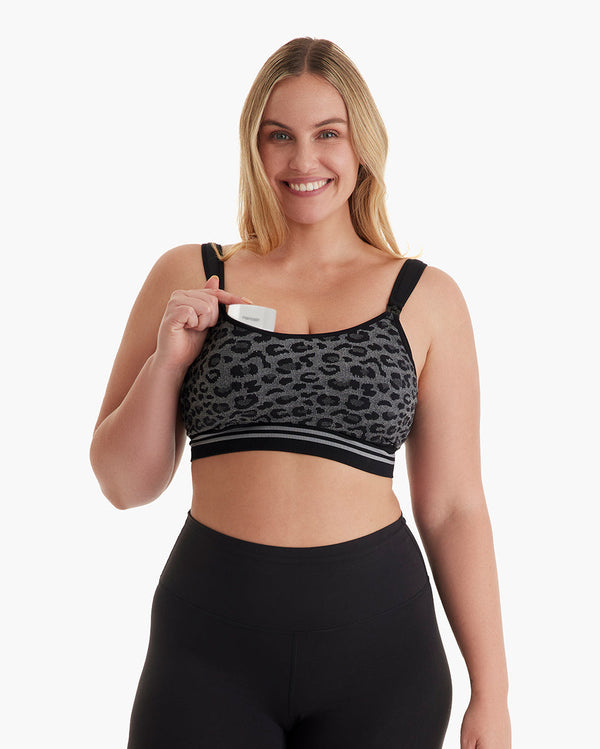
After focusing on your pregnancy and post-partum needs, then start adding items for baby care.
If this isn't your first baby, you should do a home inventory of what you have, what might need to replace, and what new items are on the market that you want. After you do that, then consider building out your registry.
Add one or two choices for each need
One feeding setup is enough. A second version of the same job usually sits unused. If you are unsure, add the option you are most likely to use and swap it later from Manage All Items.
Add small and big items on your registry
Everyone's budget and approach to baby showers are different. Doting grandparents excited about the new grandbaby, a co-worker, a best friend, and some acquaintances will all shop differently. Some people will want to get you a big-ticket item. Other will want to show a little token of their support but not break the bank.
On your registry, include smaller items, such as milk storage bags, alongside larger ones you hope to receive or buy yourself, such as a bottle washer. Look at the list the way from the point of view of a gift-giver: Does the list provide a variety?


Match the list to your days
In putting together your registry, you'll need to take into account the rhythm of your days and the cadence of your schedule. For example, will you be working outside the home or staying home? If you will be working from home, a wearable breast pump can sit in your bra and leave your hands free. In that range, Wellness 1 is the warm-massage pump, and Air 1 is the slimmer pump for days you want it closer to your body. If nursing becomes pumping, or you drop something you added early, edit the list. The link can stay the same.

 Member price
From$159.99Code Save 10%
Look ahead a few months past the first weeks
The early weeks fly by. Don't forget to add nursing, feeding, and recovery items . Toddler gear and a duplicate of every newborn item do not.
If you want a wider baby-gear pass, use the checklist article for categories, then come back and add only the gaps. This page is for building your list, not for stocking a whole nursery.
Write a short note for guests
The optional introduction is the place for a shower date, a feeding preference, or a line about what you already have. Guests see that note at the top of the shared page. A sentence can save you from firing off a ton of texts.
Check the list before you share it
Before you copy the link, you'll want to give your Momcozy Baby Registry another look. dDelete anything you will not use, including duplicates and gifts that only looked nice in the popular row. Read through the list it once as if you were the guest. If a line needs an explanation, put that in the introduction.
Then send the one link as needed.
What You Get for Starting a Momcozy Baby Registry
In starting your baby registry with us, you receive Baby Welcome Benefits and a birthday gift of CozyCoins.
Baby Welcome Benefits
The Baby Welcome Benefits includes:
-
During Black Friday, first-time registry creators have a chance to receive a trial pack of breast milk storage bags (50 available per day). Available to US customers only.
-
300 CozyCoins (available in all regions)
-
Mom E-Magazine (available in all regions)
-
Expert-led on-demand online courses (available in all regions)
500 CozyCoins in the baby's birthday month
The birthday gift is 500 CozyCoins. You claim them by logging into the Member Center during the baby's birthday month. After that month ends, those CozyCoins cannot be claimed. Each baby can claim this once per year. CozyCoins usually arrive instantly. If you do not see them, refresh the page, or log out and back in.
Where to check that the CozyCoins arrived
In the Member Center, open CozyCoins, then CozyCoins Details, and look for the Baby Birthday entry. The CozyCoins should be there.

FAQ: Quick Answers
How is Momcozy Baby Registry different from a regular baby registry?
A regular baby registry is usually baby gear. Momcozy's registry is built from your side of the pregnancy: a wide set of mom products for pregnancy, postpartum, feeding, nursing, and recovery, plus what the baby needs. You choose who can see it, you can buy it yourself or send one link, and a friend can email you their name and a wish after they purchase.
When should I start a baby registry?
Start with the product section, where real moms share their feedback: see what other moms are actually buying and why. It is the fastest way to know what fits your stage and makes the motherhood journey smoother. Then add the mom care you will use — pregnancy support, nursing, feeding, and recovery — followed by baby care for home. Feel free to make changes later from Manage All Items.
What should I add first?
Duplicates of the same job, cute extras you will not use, and anything you already own (and is in good condition). A full nursery inventory belongs on a checklist, not on a first pass. You can add items later as needs arise.
What should I leave off?
Duplicates of the same job, cute extras you will not use, and anything you already own (and is in good condition). A full nursery inventory belongs on a checklist, not on a first pass. You can add items later as needs arise.
How many items do I need?
It's up to you! No amount is required.
Should I include both smaller and larger items?
Yes. Smaller items give most guests something they can choose. Larger items are there for the people who want to cover more, or for you to buy yourself.
Do I have to finish the list before I share it?
No. Add a few items and send the link when you want people to shop. You can add and delete later from Manage All Items. Guests see the list as it is when they open the link.
Does Add charge my card?
No. Add fills a cart or a list. Money moves at checkout, whether that checkout is yours or a guest's.
Can strangers find my list?
Only if you chose Public. That option can be searched on momcuzy.com. Shareable needs the link. Private stays visible only to you, and a link will not open it for someone else.
Can I buy the gifts myself?
Yes. From Manage All Items, Proceed to Checkout is there for that.
How does the mom know who sent the gift?
After the purchase, the guest chooses I Purchased This, enters a name, and can add a wish. Send My Wish emails you. The name and wish are what you use to say thank you. If you chose Disallow Marking, that path is off.
Can I put postpartum and mom items on a baby registry?
Yes. Pregnancy, nursing, feeding, and recovery belong on this list, next to baby care. If this is not your first baby, add the mom items you do not already have.
What if someone sends me a link?
Open it, add one or more items to the cart, and pay. After you buy, choose I Purchased This, enter your name, and add a wish if you want. Send My Wish is what emails the mom.
When can I claim the 500 birthday CozyCoins?
Only during the baby's birthday month, and only once per baby each year. Log into the Member Center in that month. After the month ends, the CozyCoins cannot be claimed.
Conclusion
The Momcozy Baby Registry is to make shopping easier for your friends, family, and yourself! Make it as long or as short as needed. What makes our registry unique is that we keep moms' needs in mind, too. So you can add baby care but also mom care products to it. Your friends, family, and colleagues will enjooy having a registry to choose something needed or meaningful for you rather than having to stress over what to get you.